> For the complete documentation index, see [llms.txt](https://help.eventool.com/llms.txt). Markdown versions of documentation pages are available by appending `.md` to page URLs; this page is available as [Markdown](https://help.eventool.com/en/meeting-planner/can-i-limit-the-number-of-meeting-requests-per-attendee.md).
# Can I limit the number of meeting requests per attendee?
Yes, Eventool allows you to set a **limit on the number of meeting requests** each attendee can make. This option is very useful for balancing schedules or controlling the volume of appointments during the event.
***
### Where is it configured?
You have two ways to set this limit:
#### 1. At a general level (for all attendees)
If you want to apply the same maximum number of applications for all participants:
1. Enter the management panel.
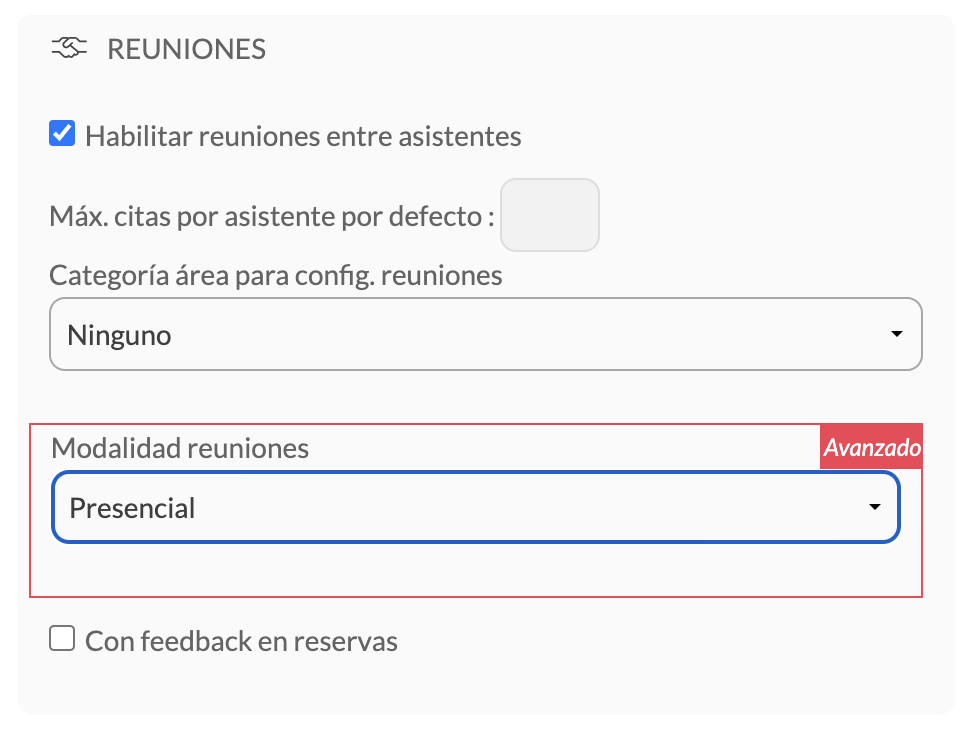
2. Go to **Settings > Included Options > Meetings.**
3. In the field “**Max. appointments per assistant by default**”, enter the desired number.
#### 2. At an individual level (per attendee)
If you need to customize the limit for specific attendees:
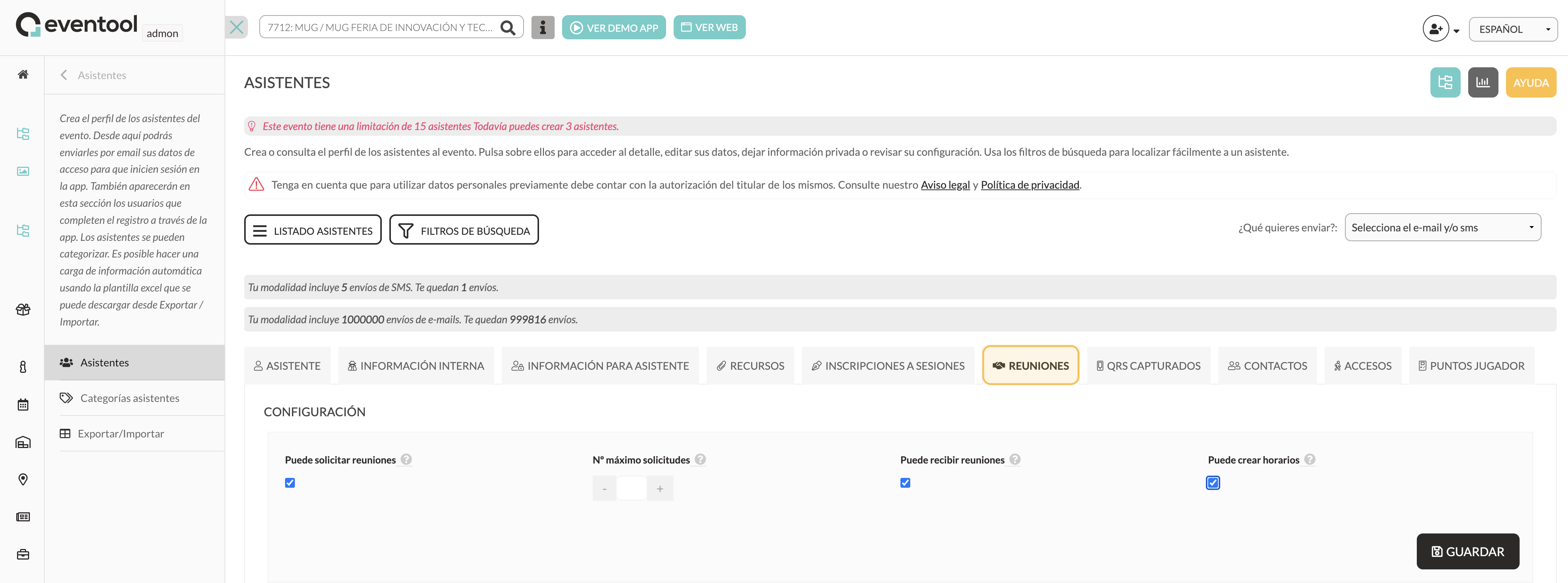
1. Access the **Assistants** section of the panel.
2. Select an assistant and go to their profile.
3. Go to the **Meetings** tab.
4. Indicate the **maximum number of requests** that this assistant can make.
***
### What happens if an attendee reaches their limit?
In the app, if an attendee tries to request more meetings than allowed, the following message will appear:
**"The user (...) has reached the maximum number of possible meetings."**
This message informs the assistant that they cannot submit new requests unless an appointment slot becomes available (for example, if a request is rejected).