> For the complete documentation index, see [llms.txt](https://help.eventool.com/llms.txt). Markdown versions of documentation pages are available by appending `.md` to page URLs; this page is available as [Markdown](https://help.eventool.com/en/general-content/images/repository.md).

# Repository

### Add images to the event app/website

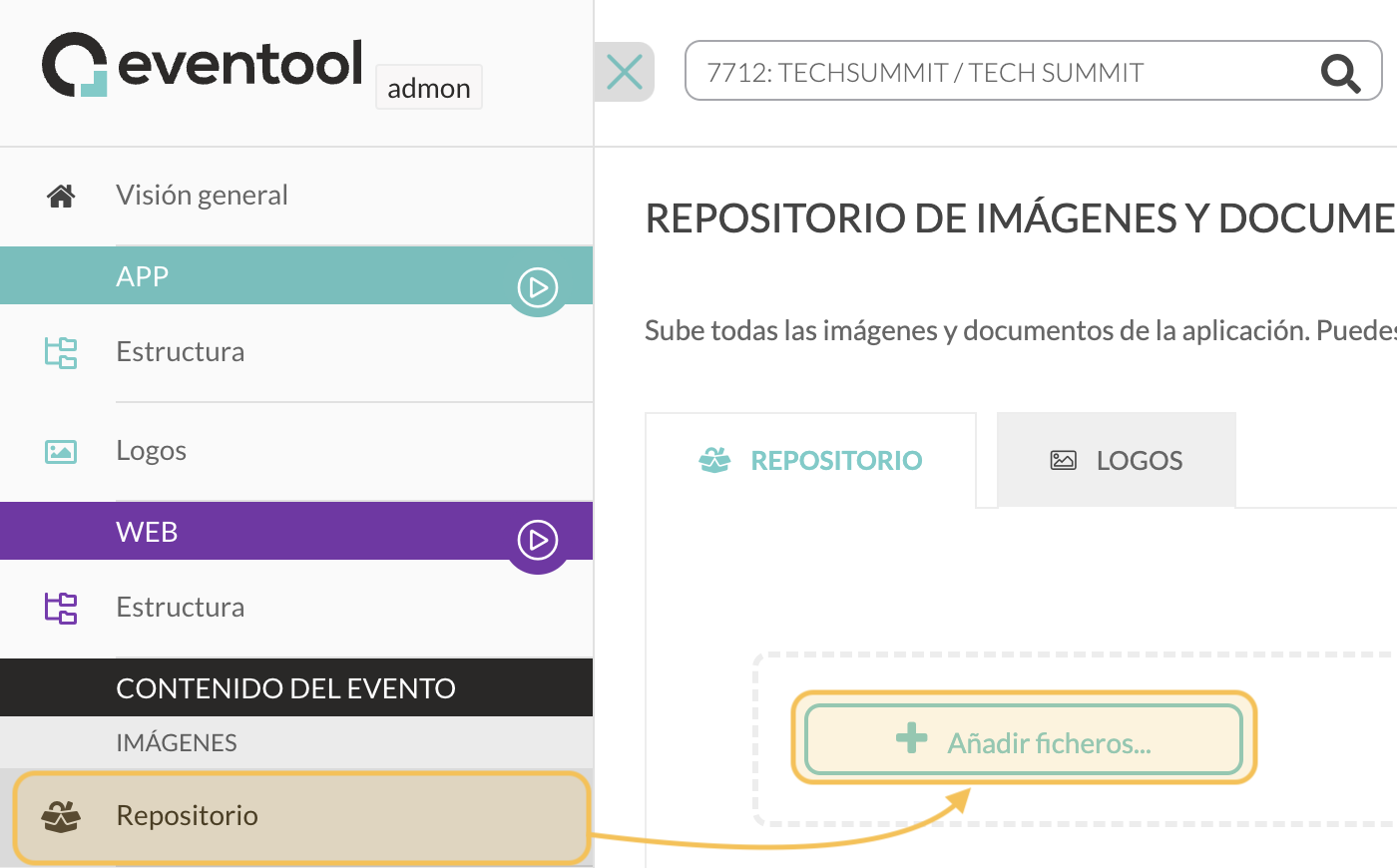
To include images in the **text and multimedia editors** found in the different sections of the administration panel, you must first upload them to the repository.

<div align="left"><figure><img src="https://content.gitbook.com/content/8g1s4Beg4BZdw3Dp6hLd/blobs/cAmIqU3K74OfAU7wCOL6/repositorio-1.png" alt="" width="563"><figcaption></figcaption></figure></div>

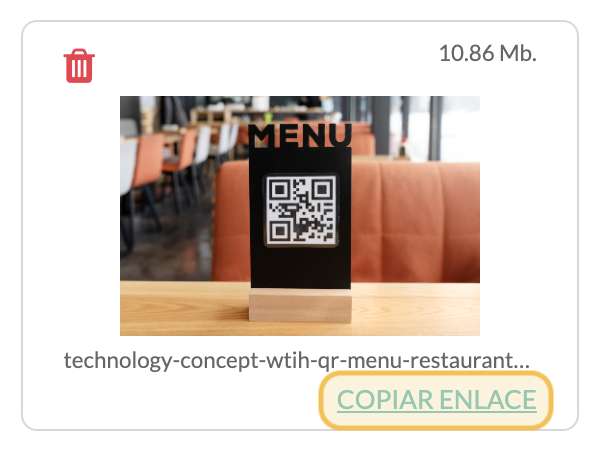
Once the image is uploaded, you need to **copy the link** that is generated so that you can insert it into the text editor of your choice.

<div align="left"><figure><img src="https://content.gitbook.com/content/8g1s4Beg4BZdw3Dp6hLd/blobs/z1FinHWOQFUCkD8yqotS/epositorio-2.png" alt="" width="303"><figcaption></figcaption></figure></div>

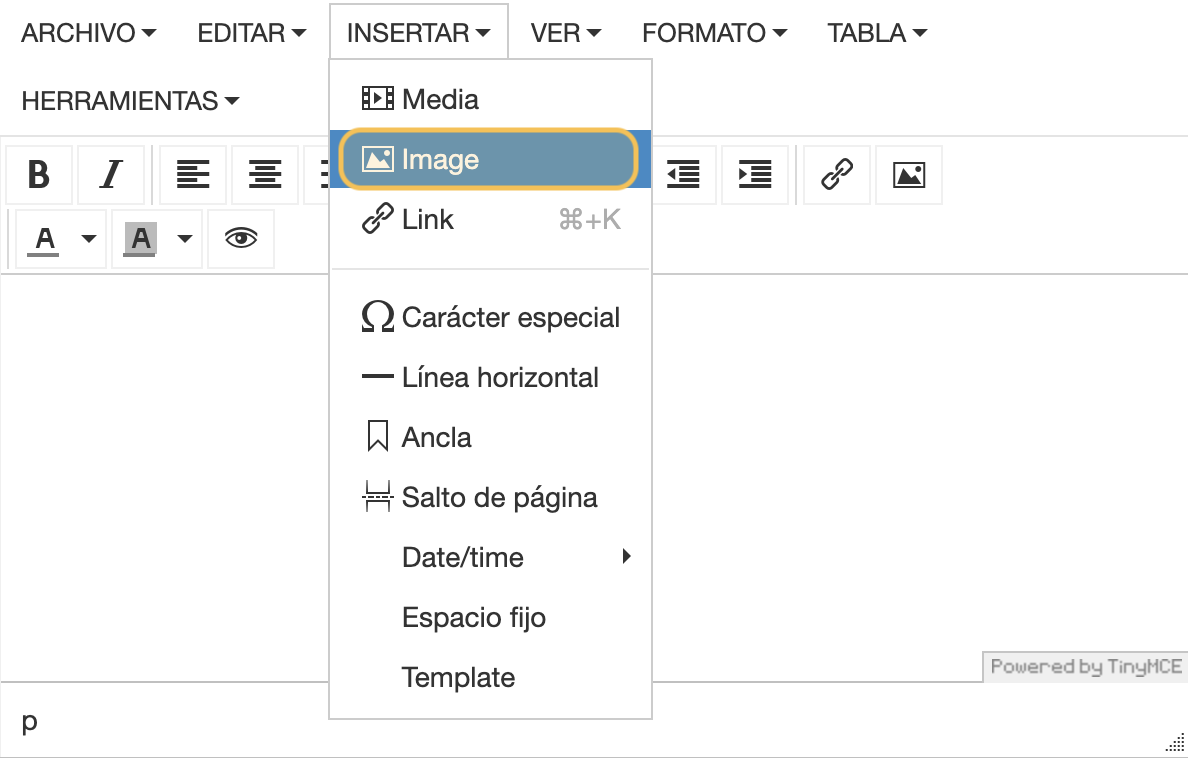
If, for example, we want to insert the image into the text editor in the Information section, we access the section, go to the editor, click on the **Insert button** and select **Image**.

<div align="left"><figure><img src="https://content.gitbook.com/content/8g1s4Beg4BZdw3Dp6hLd/blobs/nbZC9gb6oEgZtpZd5vSu/repositorio-3.png" alt="" width="563"><figcaption></figcaption></figure></div>

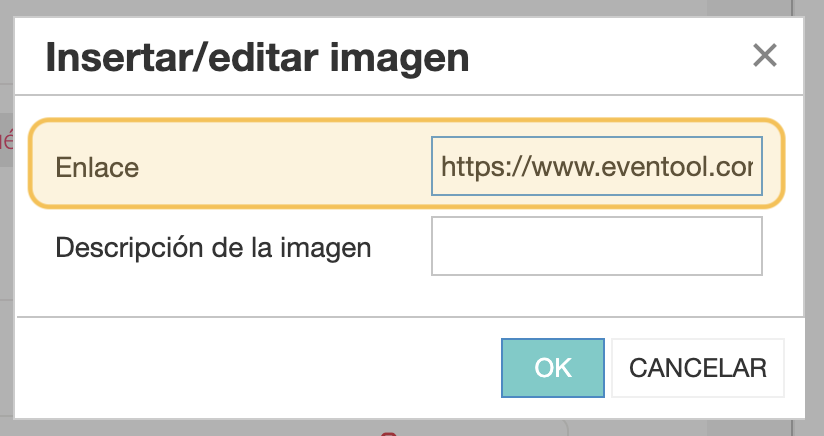
A pop-up window will open with the option to insert the link we copied earlier.

<div align="left"><figure><img src="https://content.gitbook.com/content/8g1s4Beg4BZdw3Dp6hLd/blobs/mgXKg1F8hrggzvH4BGNN/repositorio-4.png" alt="" width="375"><figcaption></figcaption></figure></div>

The image will be automatically inserted into the editor. There is no need to resize it unless necessary, as it adapts to different device screens.
<div align="left"><figure><img src="https://wiki.eventool.com/repositorio_5.png" alt="" width="563"><figcaption></figcaption></figure></div>

<div align="left"><figure><img src="https://wiki.eventool.com/repositorio_6.png" alt="" width="188"><figcaption></figcaption></figure></div>