> For the complete documentation index, see [llms.txt](https://help.eventool.com/llms.txt). Markdown versions of documentation pages are available by appending `.md` to page URLs; this page is available as [Markdown](https://help.eventool.com/en/dashboard/configuration/users.md).
# Users
## How do I add administrators to my event management panel?
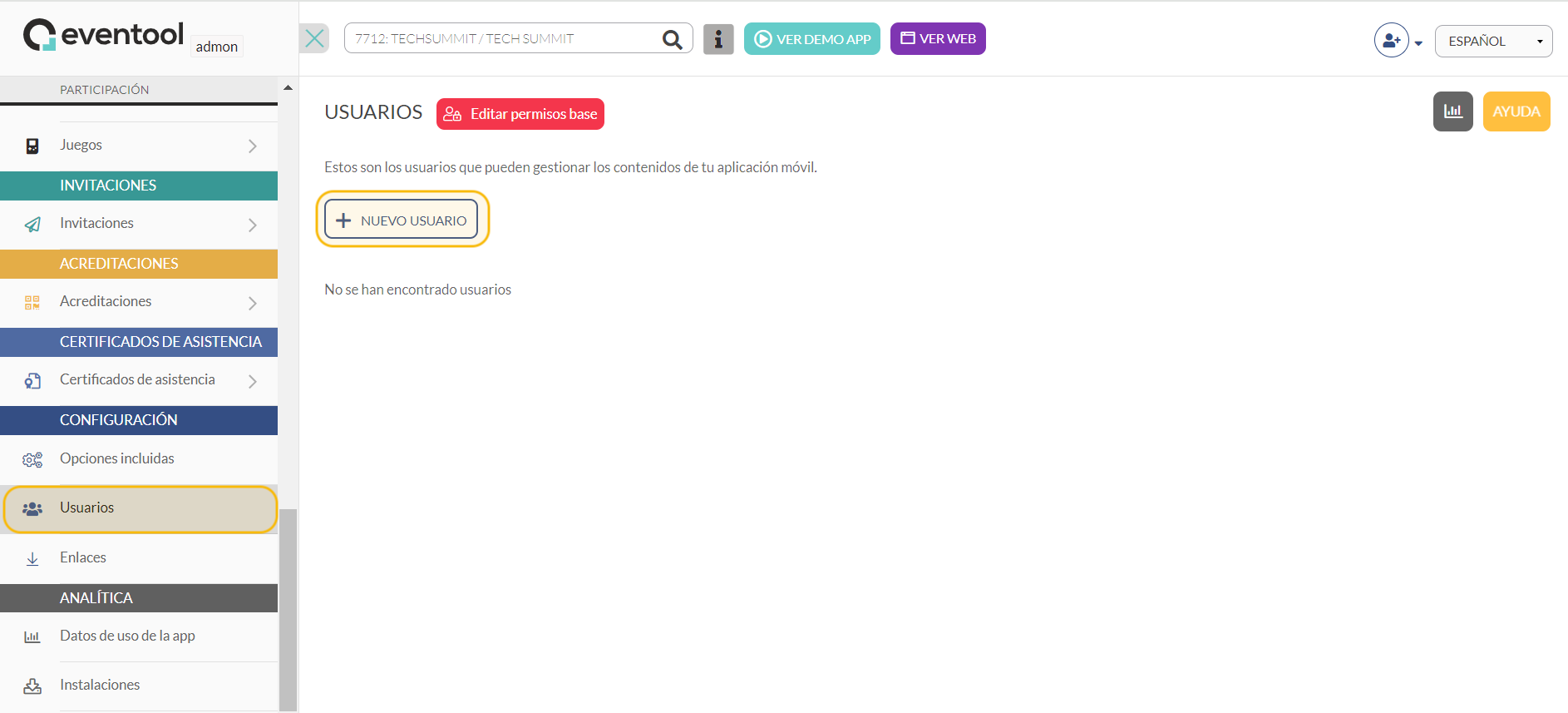
By accessing the management panel, in the side menu, in the users section, you can create as many users as you need.
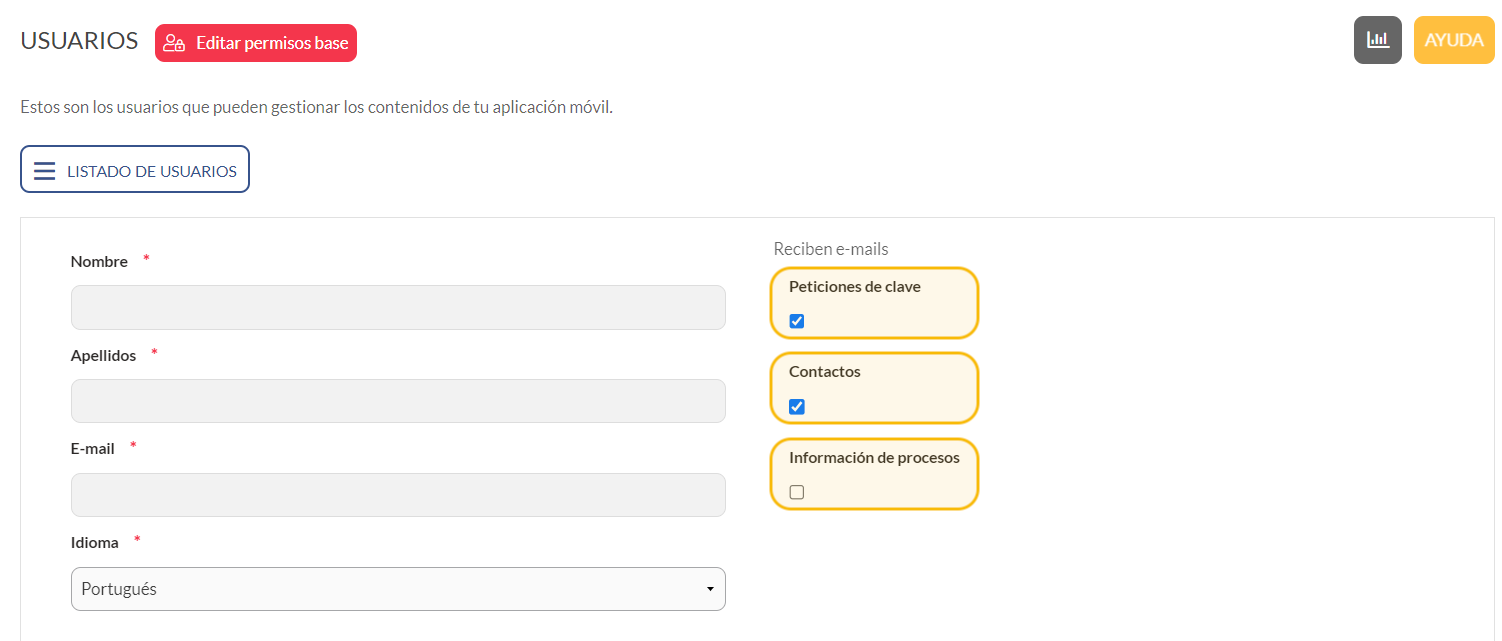
Simply click on “new user” and fill in the requested information: **first name, surname** and **email address**, and choose whether or not they will receive the following emails:
* **Password requests**: by ticking this box, panel users will receive an email every time attendees cannot remember their app login password and request a new one.
* **Contacts**: if you have a contact form section in the app, all app users who fill it in will receive emails.
* **Process information**: users with this checkbox selected receive an email each time a scheduled push notification is published.
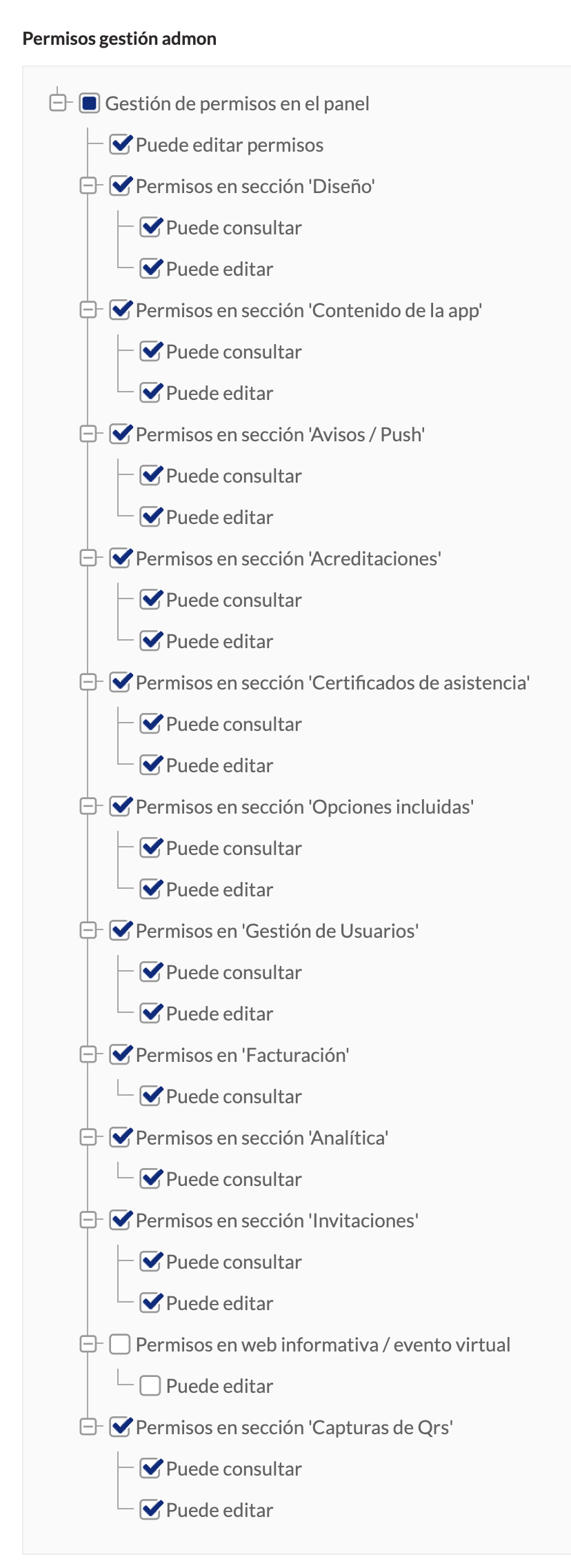
You can also assign **roles** and **permissions** to each administrator by ticking and unticking the boxes.