> For the complete documentation index, see [llms.txt](https://help.eventool.com/llms.txt). Markdown versions of documentation pages are available by appending `.md` to page URLs; this page is available as [Markdown](https://help.eventool.com/en/dashboard/configuration/links.md).
# Links
## Where can I find the download links for the mobile application on Eventool?
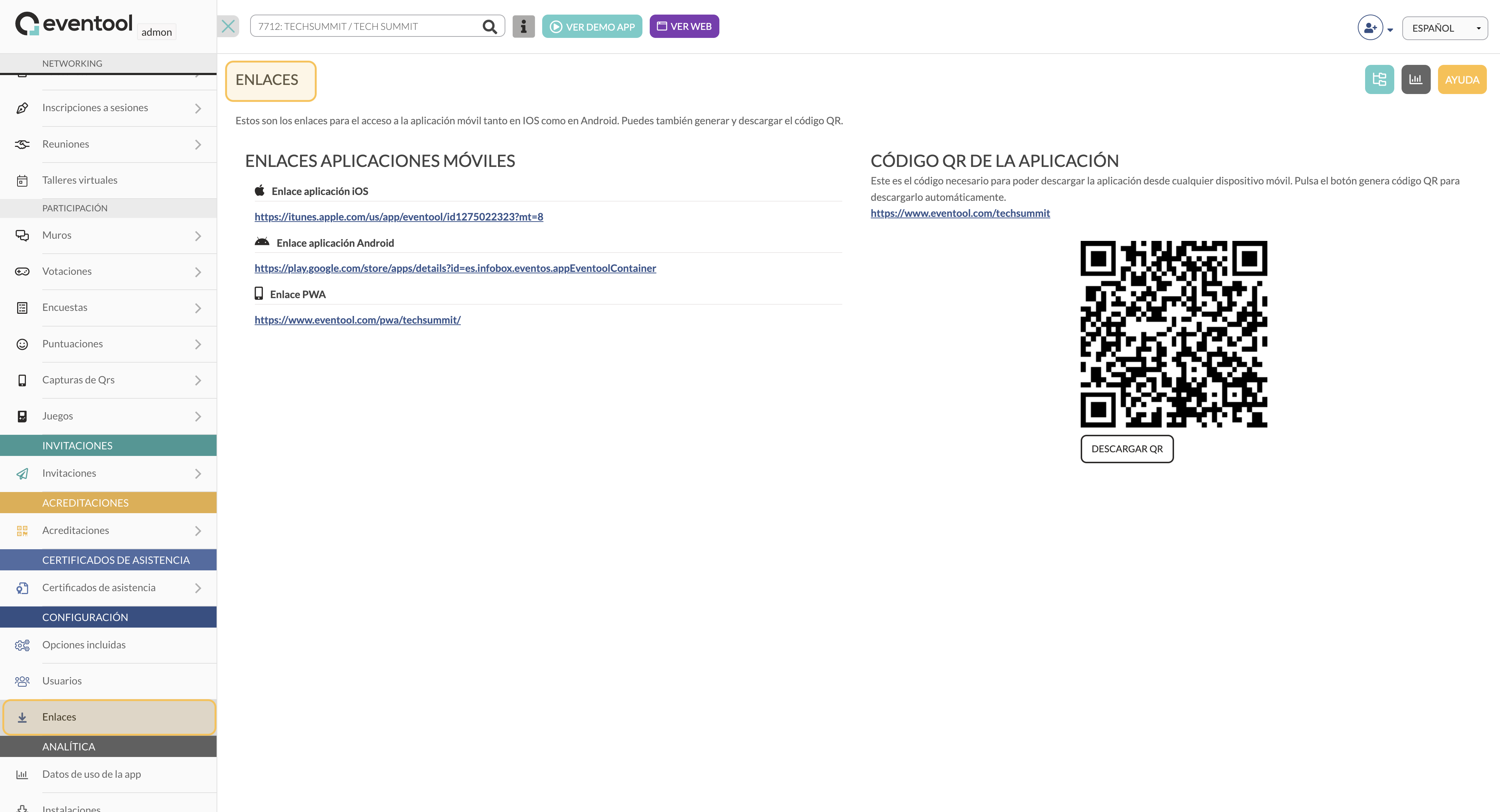
In the **Links** section within your event settings in Eventool, you can obtain the download links for the mobile application on different platforms and the corresponding QR code. This option makes it easy to share access with attendees, allowing them to download the app easily and directly.
### Access to the Links section
To access this, go to the Eventool administration panel and, in the left sidebar, select **Settings > Links**. This section will show you all the application download links in one place.
### Download options available
In this section, you will find several download options so that attendees can install the app on different devices:
* **iOS app link**: a direct link to the App Store for Apple device users.
* **Android app link**: a direct link to Google Play for Android device users.
* **PWA (Progressive Web App) link**: a link that allows users to access the PWA version of the application. The PWA can be installed on the device without having to go through app stores, ideal for greater compatibility and accessibility.
Each of these links is unique to the event in question, making it easier for attendees to access content in a specific and personalised manner.
### Application QR code
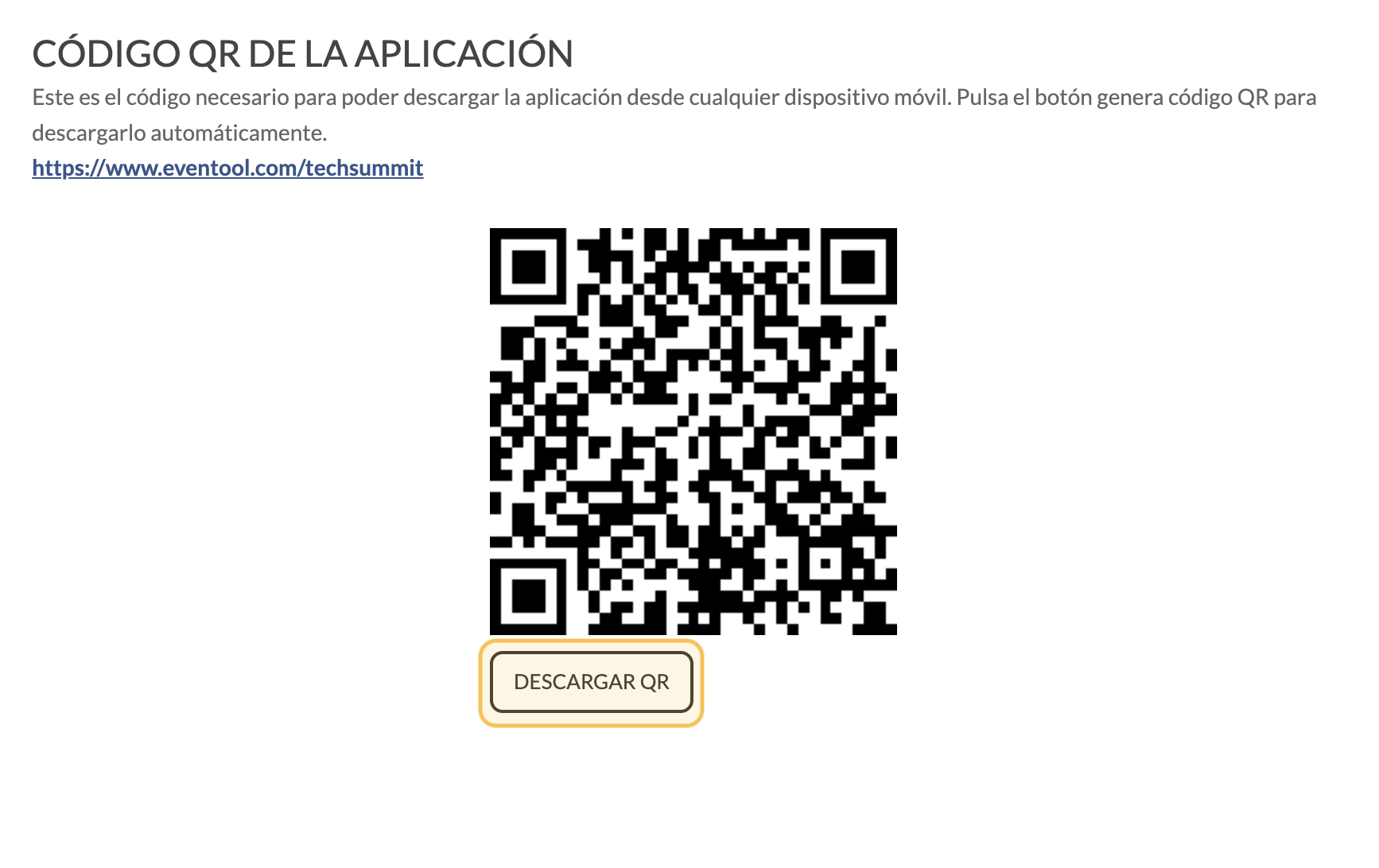
On the right side of the screen, you will see a **QR code** generated for your event. This code allows attendees to download the app simply by scanning it from their mobile devices. The QR code automatically redirects them to the appropriate download link, making the installation process even easier.
* **Download the QR code:** You can download the QR code by clicking on the Download QR button and share it in various promotional materials, such as brochures, invitations, or on the event's website.
### How to use these links and the QR code?
Sharing these links and the QR code is ideal for providing a simple and accessible experience for attendees. You can include them in welcome emails, on the event website, or in any communication that facilitates the installation of the app on users' devices.
{% hint style="info" %}
The **Links** section within the Eventool admin panel settings centralises all links and QR codes for downloading the app, adapted to different operating systems and devices. This option makes it easier for attendees to access the app, improving their user experience and helping you achieve efficient communication.
{% endhint %}